

POS Terminal
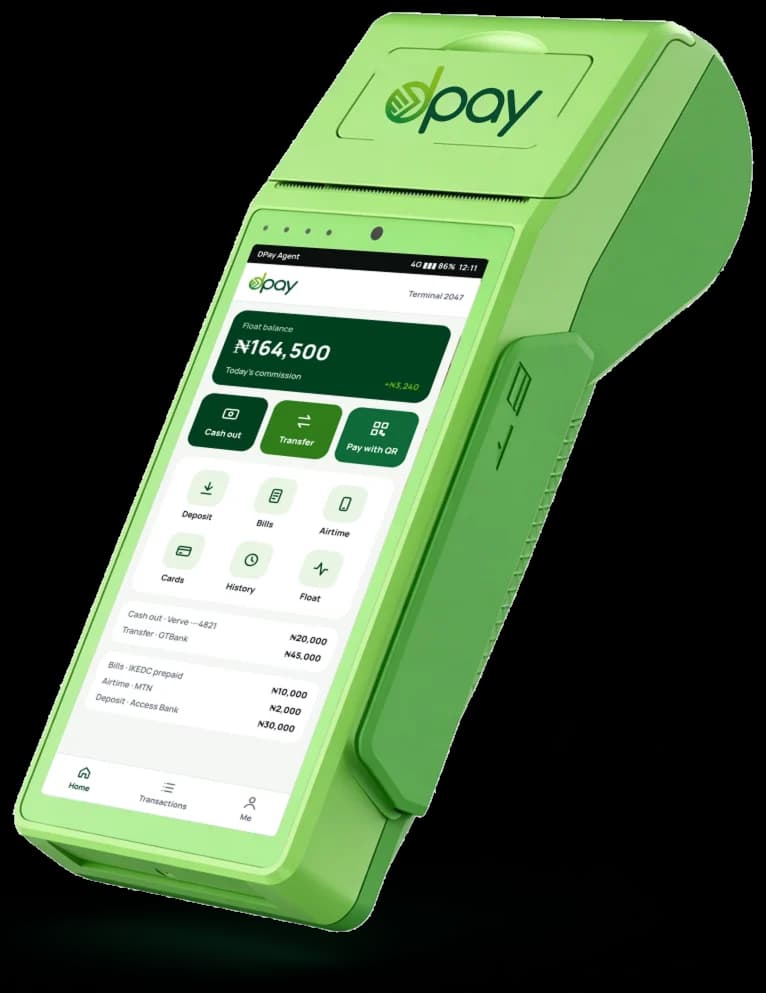
Take Card Payments With a DPay POS Terminal
Order a DPay POS terminal and take card payments at your counter.


 Business
Cards, QR and Links in One Place
Every terminal payment appears in DPay Merchant alongside the rest of your sales.
POS Terminal
Order a DPay POS terminal from the DPay Merchant app and accept Verve, Visa and Mastercard payments at your counter. Card payments settle into your merchant wallet next to your QR and online sales, so all your takings are in one sales history.
How It WorksGet a Terminal in Three Steps

 Why DPay
One Terminal, All Your Sales
- 01
Card Payments
Accept customers who prefer to pay by card.
- 02
Settles to Your Wallet
Card takings land next to your QR and online sales.
- 03
Up to Five Terminals
Add terminals as your business grows.
- 04
Track Your Request
Follow your terminal request in the app, and cancel it until it is approved.
- 05
Every Card Sale Recorded
Each terminal payment shows in your sales history as it happens.
- 06
Report a Problem Fast
Report a lost, stolen or faulty terminal from DPay Merchant.
Cards You Can TakeEvery Major Card Scheme
Customers pay with the card they already have.
- 01
Verve
Nigeria's own card scheme.
- 02
Visa
Debit and credit cards on Visa.
- 03
Mastercard
Debit and credit cards on Mastercard.
Staying SafeSafe at the Counter

Customers Enter Their Own PIN
Never ask a customer for their card PIN.
Report Problems
If a terminal is lost or damaged, report it from DPay Merchant.
Wait for Approval
Hand over goods only when the payment shows as approved on the terminal and in DPay Merchant.
FAQPOS Terminals FAQ
Ordering and using a DPay terminal.
Open DPay Merchant and request a POS terminal. You can follow the request in the app and cancel it until it is approved.
Up to five terminals per business.
Into your DPay merchant wallet, where you can withdraw it to your bank.
Every terminal payment shows in your sales history next to the rest of your sales.
Verve, Visa and Mastercard debit and credit cards.
If the payment is not in DPay Merchant, it did not reach you, so do not hand over the goods. The customer's bank normally returns a failed card payment to them. Chat with us with the time, the amount and the terminal if you need help checking.
Yes. Your business account on the web shows your terminals, your requests and the payments each terminal takes.
Keep ExploringRelated on DPay
Refunds
Refund a customer from DPay Merchant in a few taps.
Withdraw & Settlement
Payments settle into your merchant wallet. Withdraw to your bank any time.
Accept QR Payments
Take payments at your counter with your business's own DPay QR code.
Get the App


DPay is coming to Android and iPhone. Leave your e-mail in the footer and we will tell you when it is ready.
Already selling with DPay? Sign in to your business account
New to DPay Business? Open a business account